
PowerPoint import
You do not have to start from scratch. TalkWeaver opens PowerPoint files and turns their slides into outline slides you can edit.
Import a deck
Open a PowerPoint file in TalkWeaver. Its slide structure and embedded videos are kept.
Pick and map slides
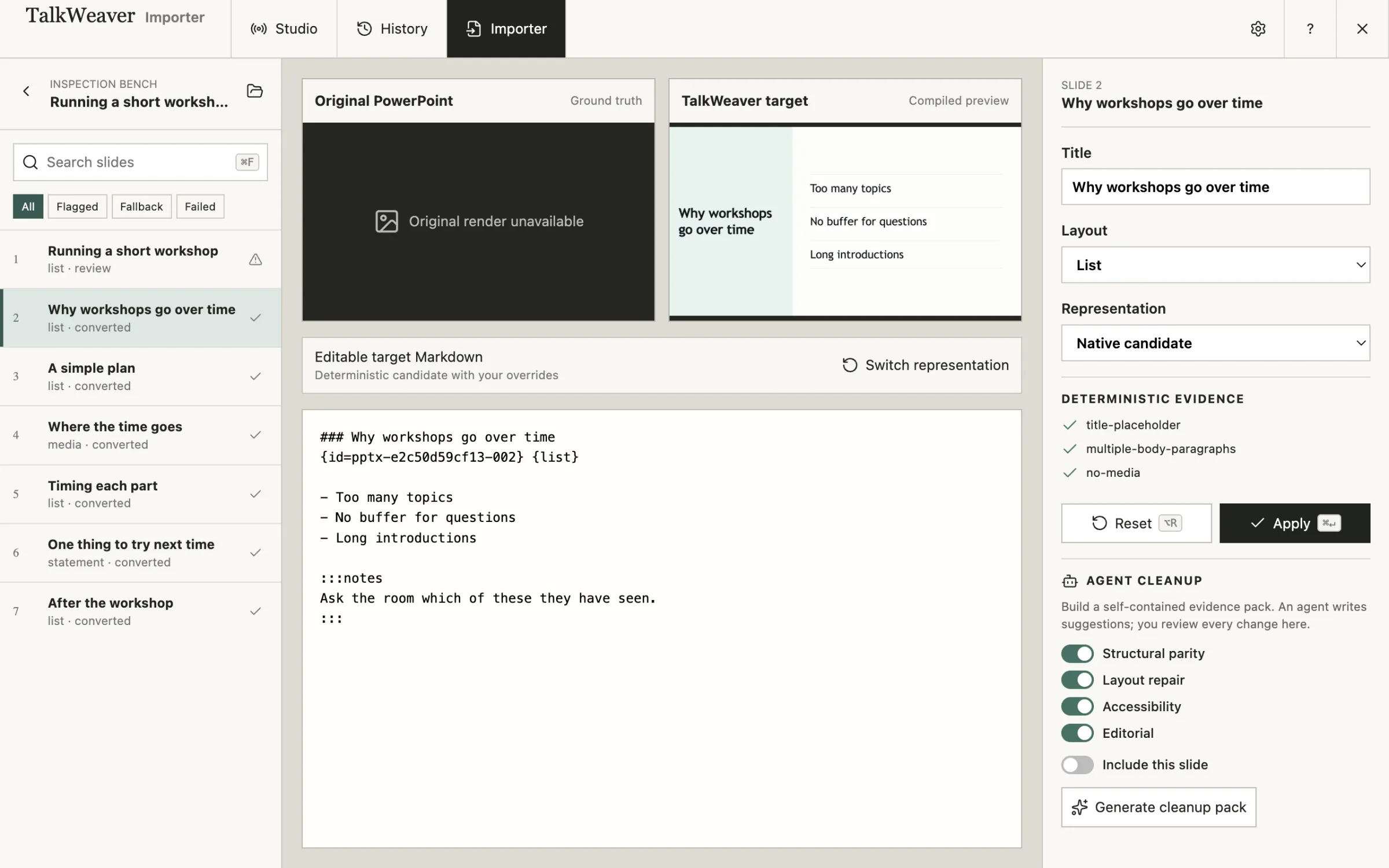
Select the slides you want and preview them. Then map each one to a TalkWeaver layout before you add it to a talk.
This happens in the TalkWeaver Importer, which opens from the Tools menu.
Reuse slides between talks
Slides you insert from another talk keep their images and videos.
Slide search covers the text inside images as well as the slide text, so slides with scanned or photographed text can be found. Searching text in images needs macOS.
Tools for PowerPoint
The TalkWeaver Importer converts decks inside TalkWeaver. TalkWeaver PPT Extractor is the same Importer as a separate app, for converting decks without opening TalkWeaver.