
TalkWeaver Importer
The Importer turns PowerPoint decks into TalkWeaver outlines. You choose the files, it converts every slide, and then you check each one before it goes into a talk.
Opening the Importer
Choose Tools → TalkWeaver Importer… in the TalkWeaver window, or open the command palette with ⌘⇧P and type “Import”. The Importer opens in the Tools window, next to Studio and History.
PowerPoint import is available on macOS.
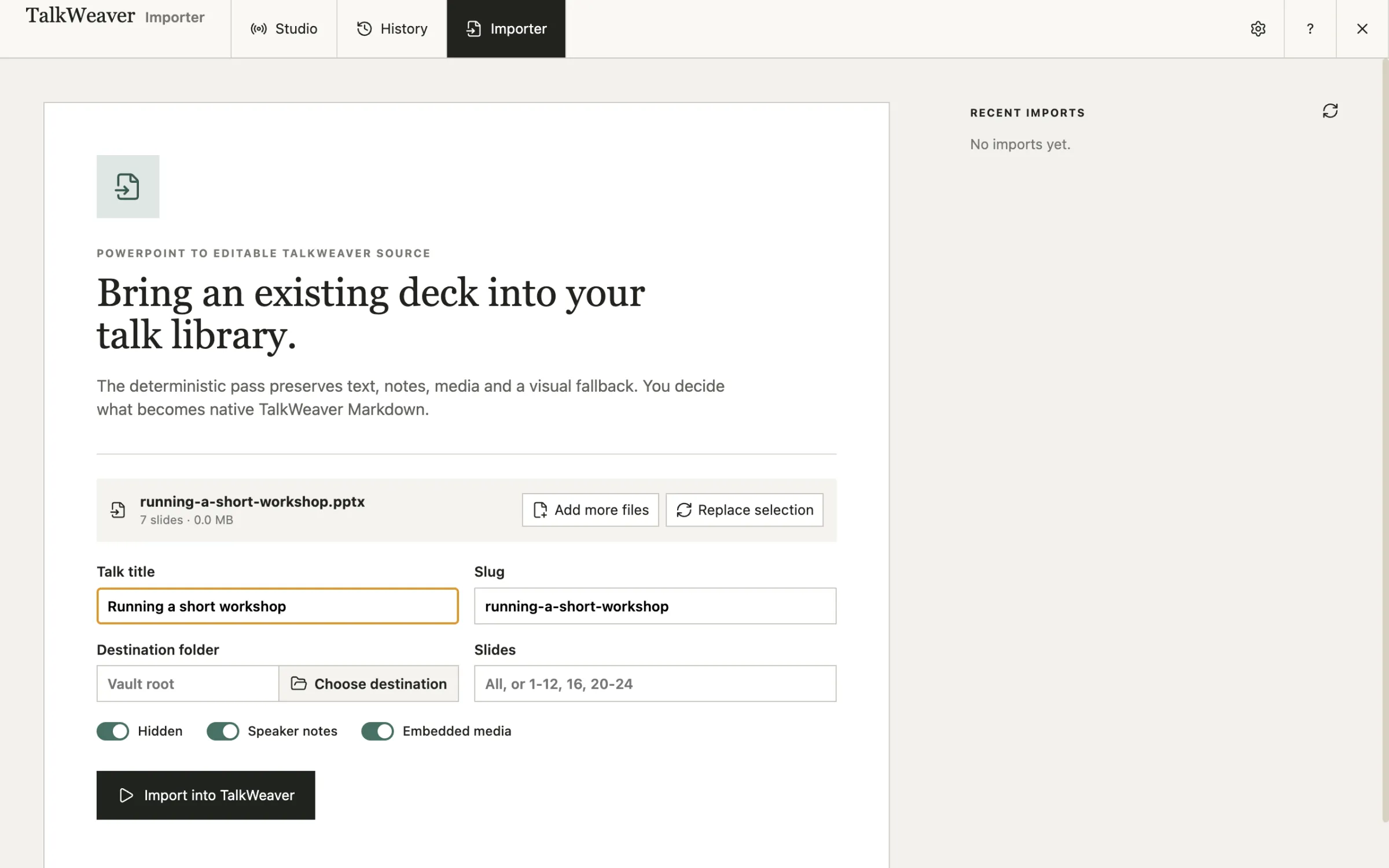
Choose the decks
Choose PowerPoint files picks one or more decks, and Choose a folder brings in every deck in a folder. For each deck you can set the talk title, the folder it goes into and which slides to import, and decide whether to include hidden slides, speaker notes and embedded media.
Check every slide
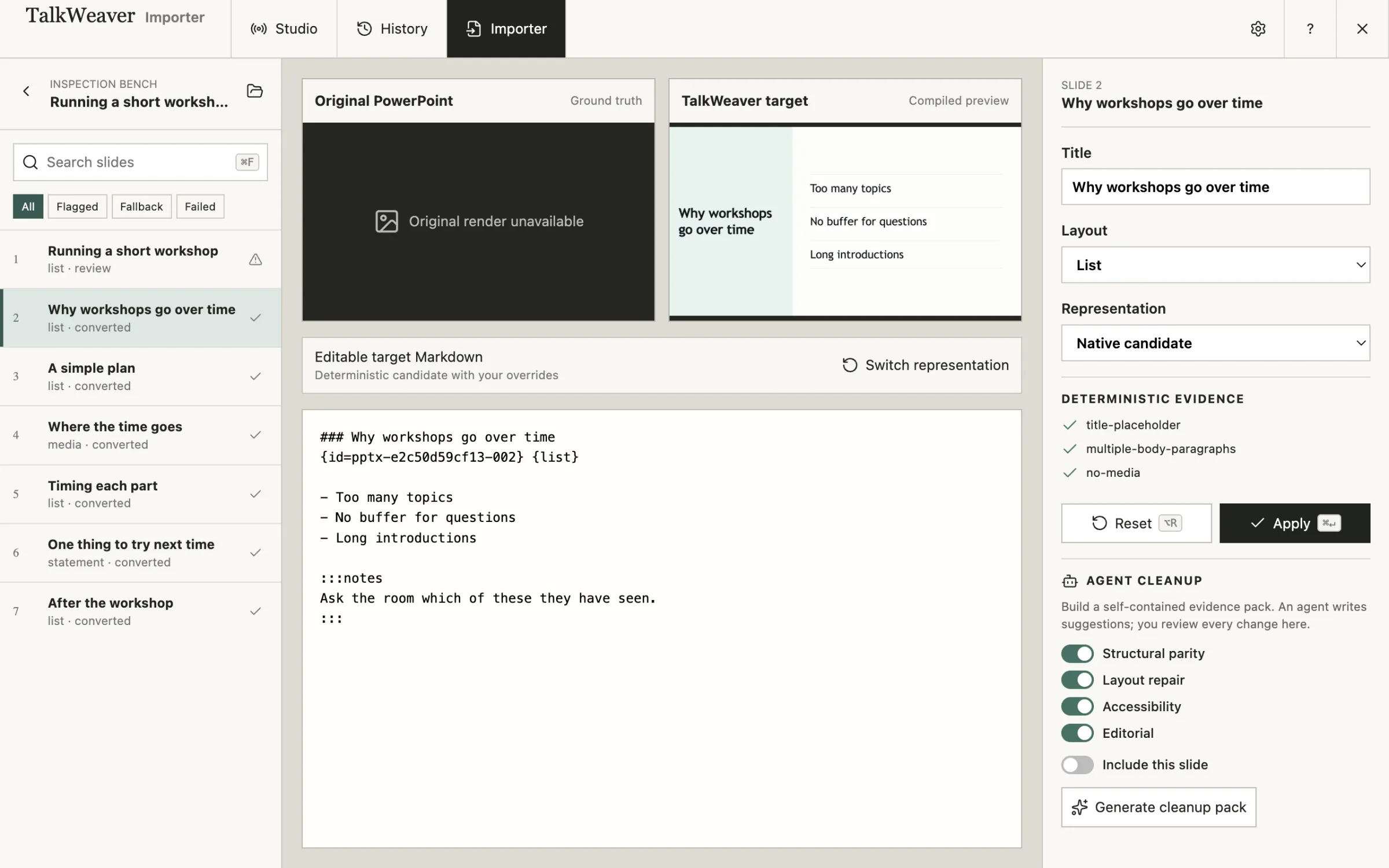
After the import, the Inspection Bench lists every slide. For the selected slide it shows the original, a preview of the TalkWeaver slide and the Markdown it came from. Slides that need a decision are flagged, and you can filter to them.
For each slide you can change the title and layout, edit the Markdown, or keep a picture of the original slide instead of converting it. Apply saves your change.
To show pictures of the original slides, the Importer uses LibreOffice and Poppler if they are installed on your Mac. Without them the text, notes and media still import.
Help from an AI assistant
Agent cleanup builds a self-contained pack of evidence about the slides you pick. An AI assistant reads it and writes suggestions for structure, layout, accessibility and wording. The suggestions come back to the Inspection Bench, and nothing changes until you apply one.
The same Importer as an app of its own
TalkWeaver PPT Extractor is this Importer in a separate app, for converting decks without opening TalkWeaver. See also PowerPoint import.